 Built for Ableton Live
The AI that controls Ableton Live.
Chat with your session. Odyssey Studio builds, arranges, mixes and masters with you, and it can actually see your sound.
Available in a few days
Available now for macOS. Windows in a few days.
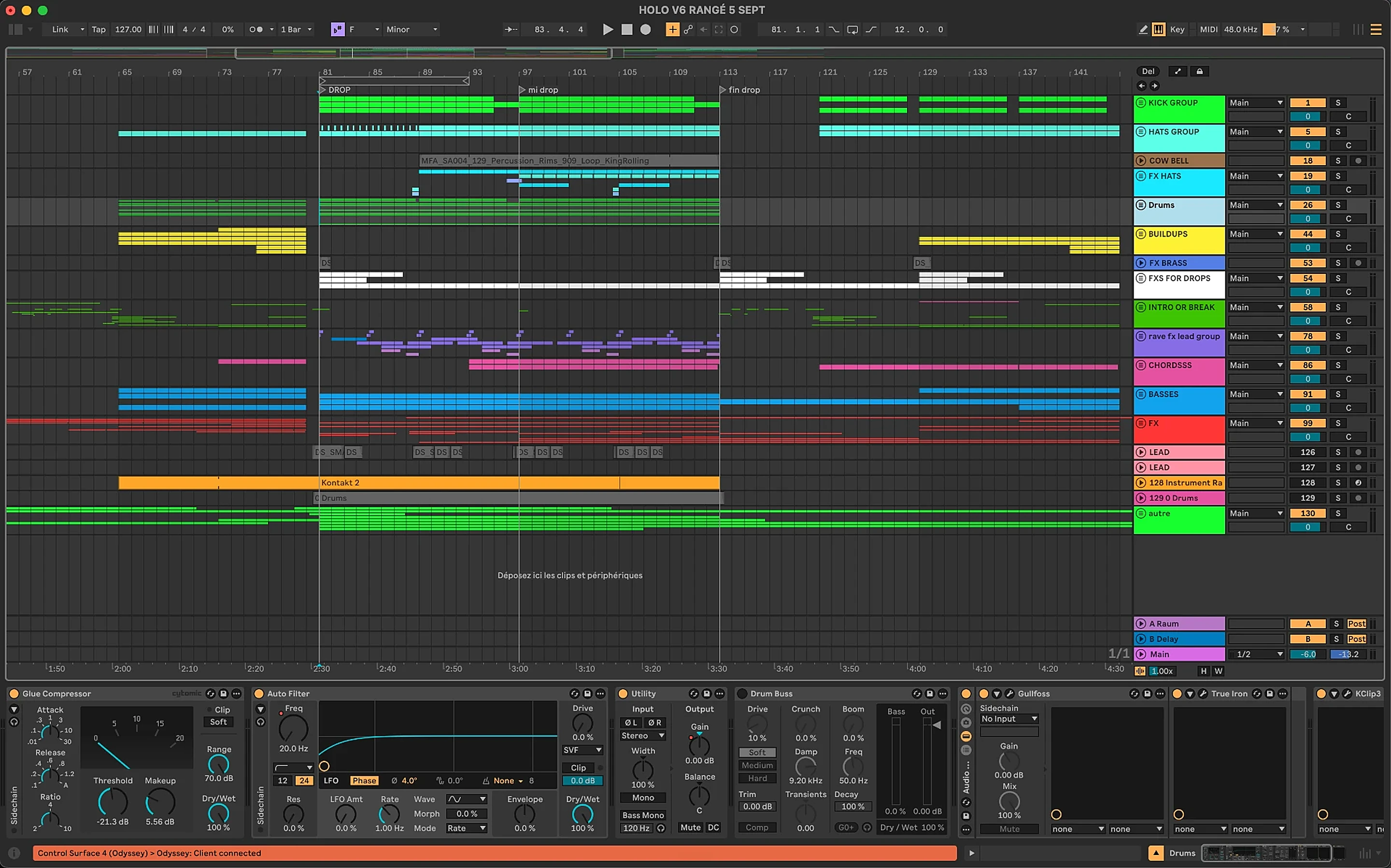
Ask Odyssey
Chat with your session.
Trusted by the first producers shaping Odyssey Studio.
Make ideas faster
Ask for drums, basslines, MIDI clips and starting points in plain language. No clicking through every menu.
Control Ableton by typing
Set tempo, arm tracks, load sounds, edit clips, build sections. You type the result you want; it does the actions.
It sees your sound
AI can't hear, so Odyssey Studio reads your waveform and spectrogram to find clashes, detect the key, and guide your mix and master.
What actually happens when you type a request.
No magic, no black box. Every request follows the same four steps, and you see each one happen inside your Ableton session.
- 1
You type what you want
Plain language, in your own words. "Add a rolling 8-bar bassline in F minor under my kick." No commands to memorize, no menu hunting, no MIDI mapping.
- 2
It reads your session first
Before touching anything, it scans the project: tempo, key, tracks, clips, devices, and the waveform and spectrogram of your audio. Every action it takes fits the track you already have.
- 3
It plans the exact Ableton moves
Your sentence becomes a short list of the same actions you would do by hand: create a track, load an instrument, write MIDI notes, set a locator, turn a device knob. More than 120 of these actions are supported.
- 4
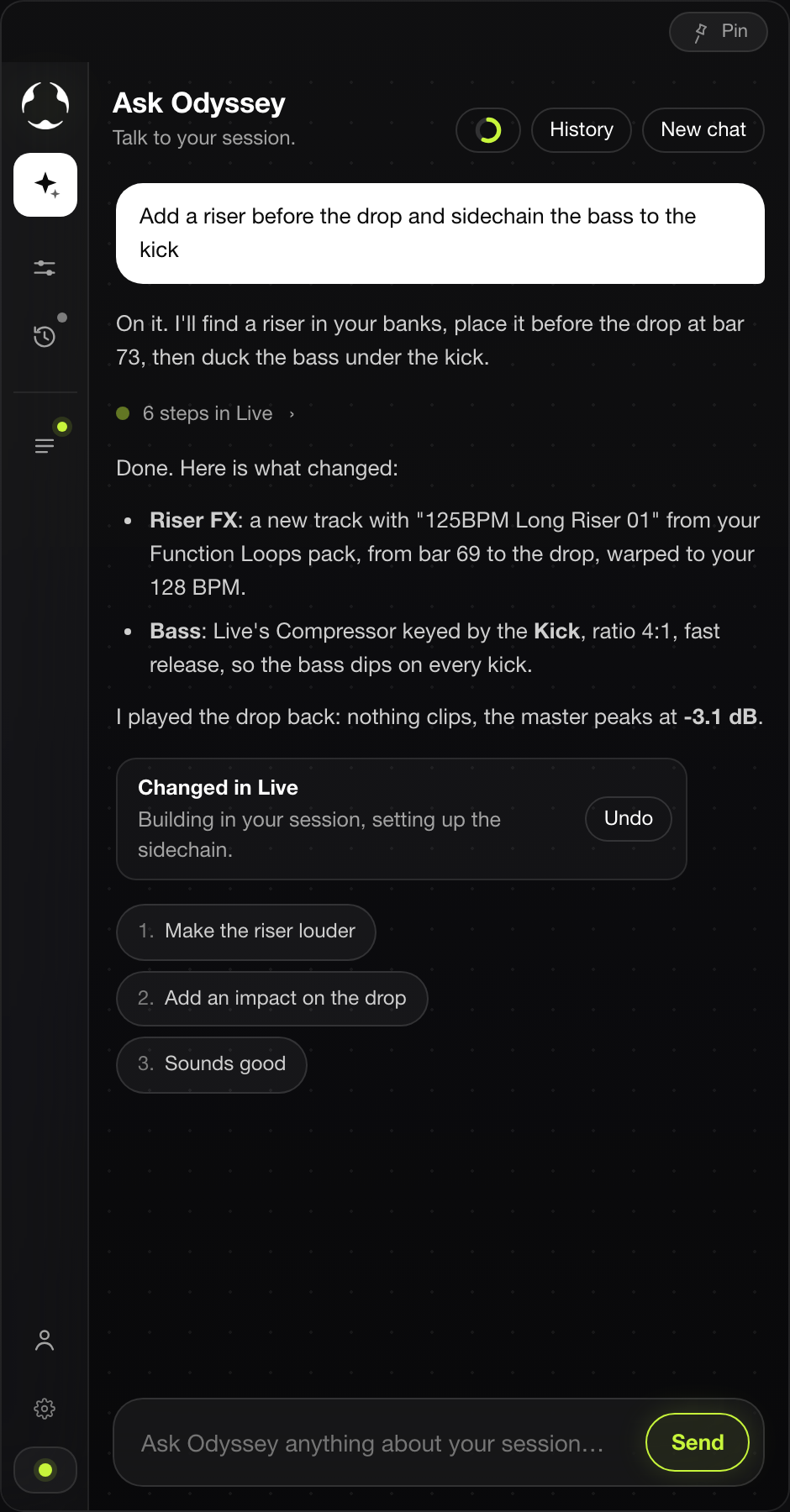
It performs them in your session, live
You watch tracks appear, notes get written and devices load inside Ableton while you keep listening. Want a change? Type it. Didn't like it? Undo it, like any other edit.
Every answer is one Undo away.
"Make a tight 8-bar melodic house idea, create drums and bass, add a breakdown locator, and clean up the timing."
- Create 3 tracks: Drums, Bass, Lead, each named and routed
- Load an instrument on each from your own plugin library
- Write an 8-bar melodic house idea in key at 124 BPM
- Write a bassline locked to the kick pattern
- Add a "Breakdown" locator and lay out the scenes
- Tighten clip timing and balance the track levels
The whole thing runs in seconds, inside Ableton Live 11 or 12, on macOS and Windows. You keep listening the entire time.
It can see your sound.
AI can't hear. So Odyssey Studio looks instead. It reads the waveform and spectrogram of your loops and turns them into decisions you can act on.
Band energy & brightness : Where the weight sits, and where the track is dull or harsh.
Rhythmic density : How busy each element is, so parts stop stepping on each other.
Key detection : Everything it writes stays in key with what you already have.
Anti-clash scoring : Ranks your own loops by how well they fill the open frequency pocket instead of fighting your kick, bass and hats.
Create · Edit · Arrange · Analyze · Mix · Master
Create
New tracks, MIDI clips, instruments and starting points from a sentence.
"Write an 8-bar melodic house chord loop"
"Add a rolling bassline in A minor"
Edit
Note-level edits, timing, velocity and clip surgery without the mouse.
"Quantize the hats to 1/16 at 80%"
"Make the last bar a fill"
Arrange
Turn a loop into intro, build, drop, breakdown and outro.
"Build a 6-minute club arrangement"
"Add a breakdown at 3:10"
Analyze
Reads band energy, brightness, rhythmic density and key from your audio.
"What key is this loop in?"
"Where are my mids empty?"
Mix
Level, EQ and space decisions grounded in what the spectrum actually shows.
"Stop the bass masking the kick"
"Make the vocal sit forward"
Master
Club-ready loudness and tone, explained step by step as it goes.
"Master this for club playback"
"Too harsh at 4k, fix it"
Your sounds. Your plugins.
Odyssey reads every plugin Live can load and indexes your sample folders. When it builds, it picks from your packs and loads the plugins you chose for each job: your EQ, your compressor, your reverb.
- Searches tens of thousands of samples by role, tempo and key
- Uses the plugins you already own
- Nothing to configure: the defaults already work
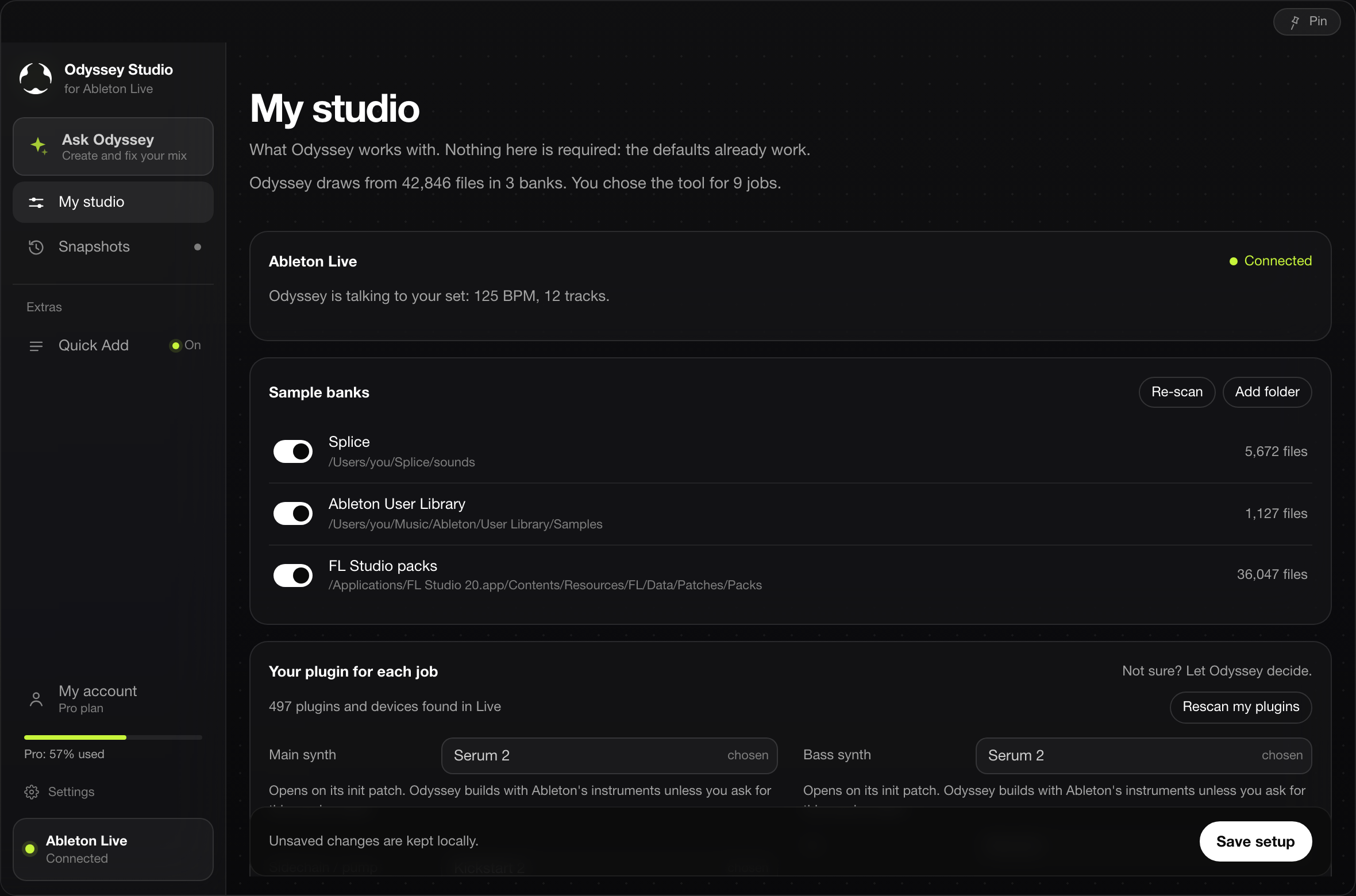
Every change is safe.
Before Odyssey touches your set, it takes a snapshot. Every answer can be undone in one click, and every version of your project can be restored.
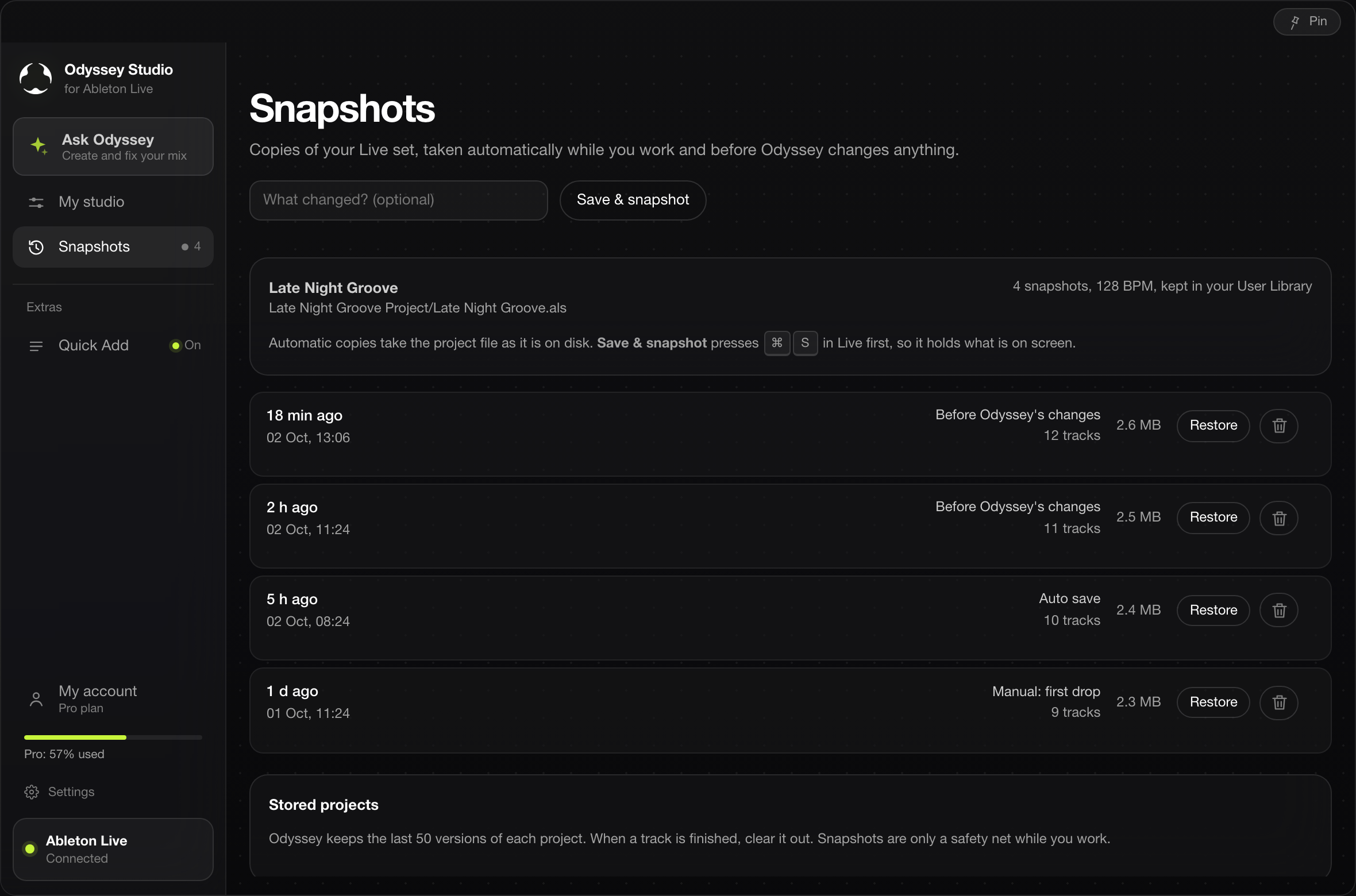
Double right-click. Your plugins, instantly.
Define your favorite VSTs once. Then, while Odyssey Studio is open, double right-click on any track and a clean drop-down appears right where your mouse is. Pick a plugin, it loads. No more digging through the Ableton browser mid-idea.
Your own list : Set the instruments, EQs, reverbs and utilities you actually use.
Zero browser digging : The menu opens on the track, not on the other side of the screen.
Keyboard shortcuts : Press 1–9 to drop the matching plugin without leaving the keys.
Works on any track : MIDI, audio, return and master: same two clicks everywhere.
- Serum 2Instrument1
- FabFilter Pro-Q 4EQ2
- Valhalla VintageVerbReverb3
- Soothe 2Dynamic EQ4
- OTTMultiband5
- DivaInstrument6
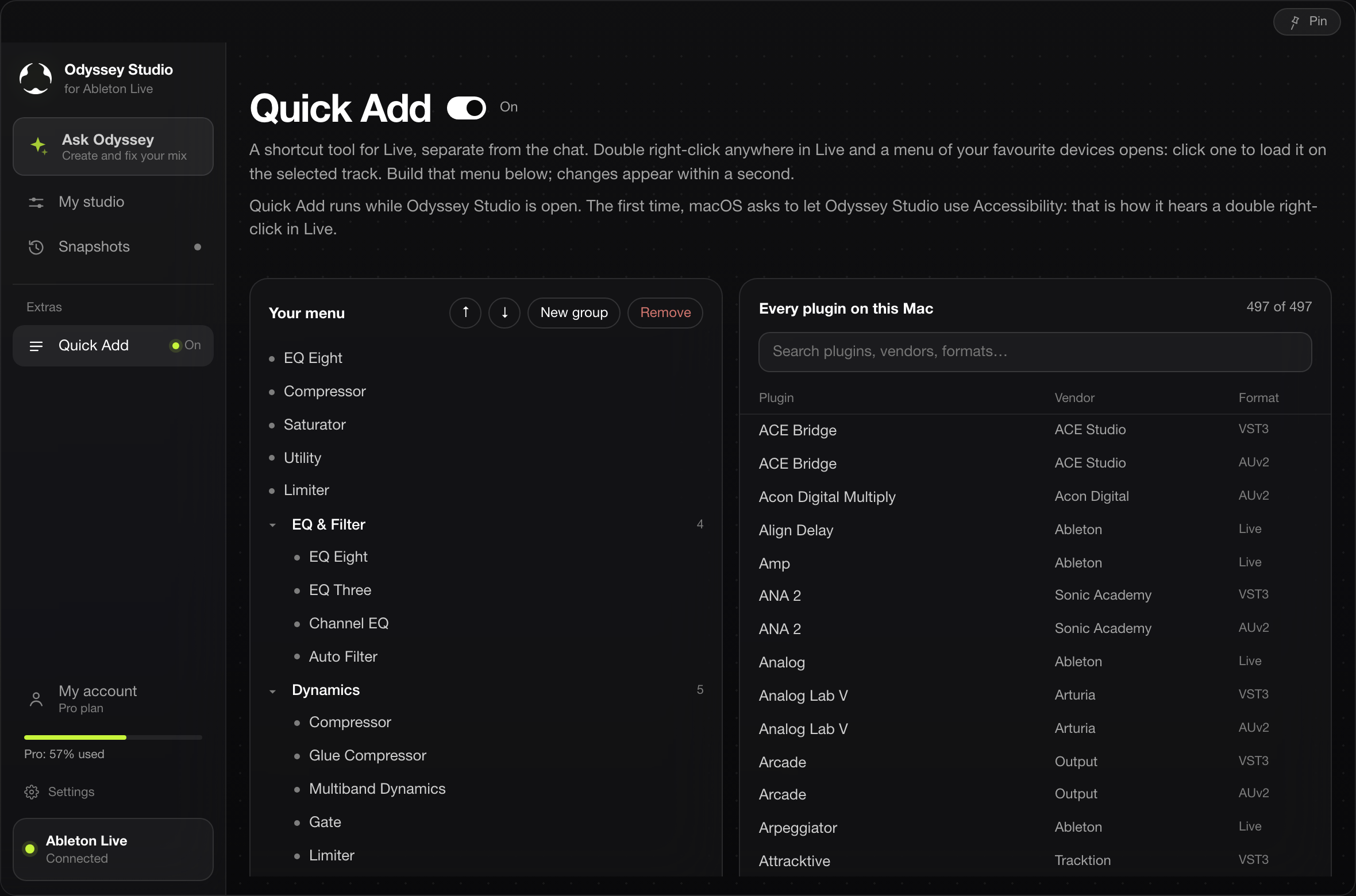
Build your menu in the app: every plugin on your Mac, one search away.
Pin it next to Ableton.
It stays out of the way and keeps working while you listen.
Start your odyssey.
Pick a monthly plan and start producing with your AI copilot today. Every finished track is an odyssey.
Start
$19/month
Light use
For occasional sessions: quick ideas and small fixes.
Included with every plan
- Works with Ableton Live 11 & 12 on macOS & Windows
- More than 120 Ableton actions
- Mixes & masters your tracks
- Builds & arranges
- Reads your audio
- Drives your 3rd-party plugins (Serum, FabFilter…)
- Sits pinned in front of Ableton
- Uses your own sample library
- AI built in, nothing else to install or pay for
- Lifetime updates included
Usage & support
Essential monthly credit
- Standard support
Pro
Most popular$29/month
Regular production
For regular production: the plan most producers want.
Included with every plan
- Works with Ableton Live 11 & 12 on macOS & Windows
- More than 120 Ableton actions
- Mixes & masters your tracks
- Builds & arranges
- Reads your audio
- Drives your 3rd-party plugins (Serum, FabFilter…)
- Sits pinned in front of Ableton
- Uses your own sample library
- AI built in, nothing else to install or pay for
- Lifetime updates included
Usage & support
1.5x the Start credit
- Priority support
Max
$59/month
Daily, heavy use
For full arrangements and mixing sessions, at volume.
Included with every plan
- Works with Ableton Live 11 & 12 on macOS & Windows
- More than 120 Ableton actions
- Mixes & masters your tracks
- Builds & arranges
- Reads your audio
- Drives your 3rd-party plugins (Serum, FabFilter…)
- Sits pinned in front of Ableton
- Uses your own sample library
- AI built in, nothing else to install or pay for
- Lifetime updates included
Usage & support
3x the Start credit
- Priority support
- Early access to new features
Odyssey Studio runs on macOS today. Windows arrives in a few days.
One app. The AI is inside.
Works on macOS & WindowsOdyssey Studio is a standalone app. Install it, open it, and it connects straight to your Ableton Live session. The AI is built in, so there's nothing external to set up, subscribe to or log into. Just the app, Ableton Live, and you.
One-click install
Download the app, open it, done. No terminal, no config files, no developer tools. It's a normal app on your machine.
The AI is built in
The assistant ships inside the app. Your plan's credits power it. Nothing external to create, install or log into.
Connects to your Live session
Point it at Ableton Live 11 or 12 and it drives tracks, devices and arrangements from inside the app, in real time.
Works in your language
The interface is available in 9 languages: English, Français, Español, Deutsch, Italiano, Português (Brasil), 日本語, 简体中文 and 한국어. The chat itself adapts to any language: ask in yours, and it answers in it.
No coding, no terminal, no extra AI accounts. Download the app, connect it to Ableton Live, and start working in your own language.
Check it runs on your setup.
DAW
Ableton Live 11 & 12
Systems
macOS & Windows
AI
Built into the app
Audio
Any interface, no extra plugins
Nothing moves without you.
Runs on your machine
It drives your local Ableton session. Your project files stay where they are. Nothing is uploaded to build a model.
You own every output
Tracks, stems and masters are 100% yours, with no royalty claim and no licensing strings attached.
Every move is reversible
Actions land as normal Ableton edits, so undo still works exactly as you expect. You approve, you keep control.
Loops are easy. Finishing tracks is hard.
The loop that never becomes a track
You have eight bars that sound great and no idea what bar nine is. Odyssey Studio proposes sections and builds them in your session, so you hear the arrangement instead of imagining it.
Testing arrangements takes hours
Every version means duplicating clips and dragging blocks. Describe the change and it lays out the alternative for you to judge in seconds.
The last 10% to a finished master
Mixing and mastering is where tracks die. The analyser shows what's clashing and what's missing, then guides each move until it holds up on a club system.